From invite to first review.
Everything your team needs for the first week: getting in, recording so your film reads well, uploading, and what to do if something looks off. It takes about five minutes to read, or watch the one-minute version first.
Upload. Tick the box, pick Scrim or Match, drop the recording in. Analysis starts on its own. More below
Get your account.
regroupd is invite-only, so there are two ways in.
- Managers:once we've approved your email, sign up with that exact address, confirm it from your inbox, and create your team.
- Players and coaches: open the invite link your manager sends you, choose Create Account, and confirm your email. You'll land in the team.
Open the confirmation email in the same browser you signed up in and you're signed straight in.
- The confirmation email comes from no-reply@regroupd.gg
- Check spam if it hasn't arrived after a few minutes
- The sign-up page can send it again
Set up your team.
Managers create the team and bring everyone in.
- Create your team from the Teams page. Name it however you like.
- Open Team and use Invite Members to make an invite link. One link works for your whole roster and lasts a week; make a new one whenever you need it.
- Managers add VODs. Everyone on the team can watch, comment, and use the stats and playbook.
- Managers: add VODs, invite and remove members
- Everyone: watch, comment, tag, clip, use the stats and build the playbook
Record so your film reads well.
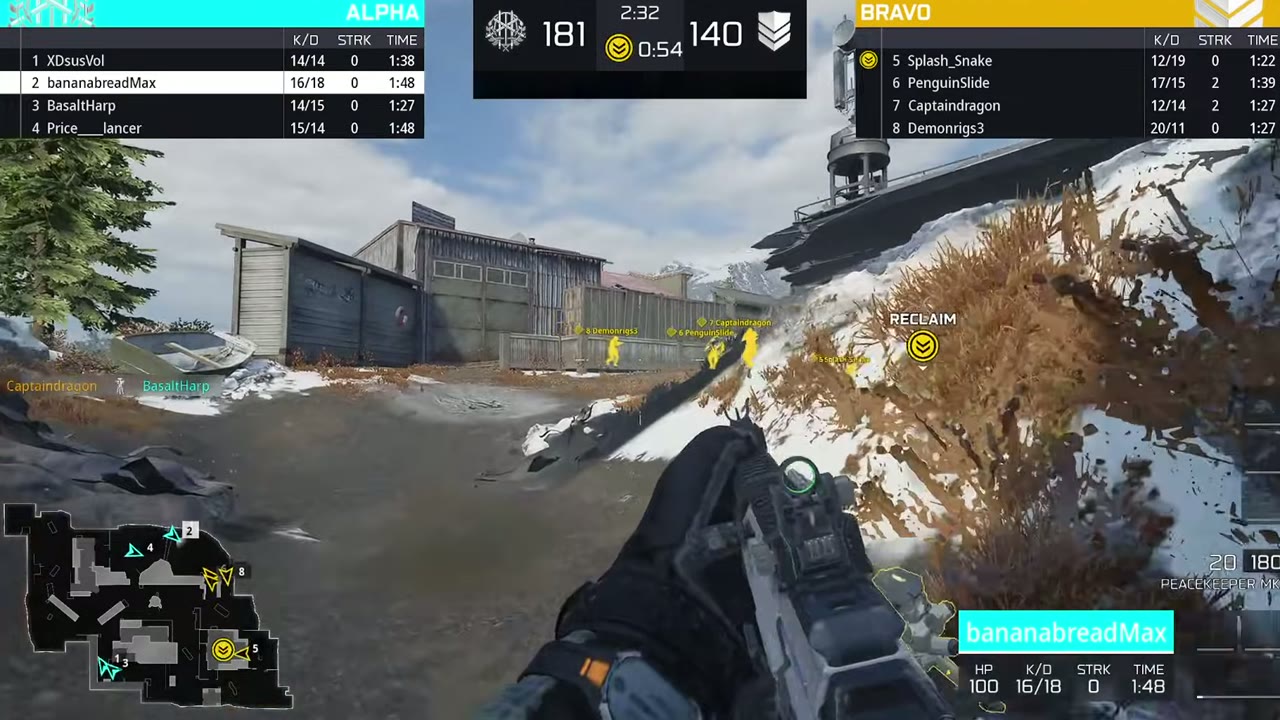
regroupd reads the score bar to find each map, mode, hill and round. The clearer it is on screen, the better your VODs come out.
- Record from the observer or caster view, with the score bar on screen
- Record whole maps, from the start of the map to the end screen
- Record in 1080p, widescreen
- Upload each scrim as its own file
- Cropping, zooming or hiding the HUD
- A player's own screen: it reads much less reliably than the observer view
- Cutting the recording up in an editor: upload it as it was recorded
- Several maps in one recording: it's split for you
- The observer dropping and rejoining mid-map: keep recording
- Two opponents in one file: it's cut into a VOD for each, from the players' names on the scoreboard
Upload a VOD.
- Click Add VOD, tick the confirmation, and choose Scrim or Match. Your stats keep the two apart, so it matters.
- Drop in the file. Keep the tab open until it finishes; you can move around the app while it uploads.
- The date is read from the file when it can be. The opponent is optional; it gets filled in later.
It splits itself.
Once it's uploaded, the VOD is read on its own: every map with its mode and final score, every hill and round with who won it.
- It takes about 5 to 6 minutes a map, so a two-hour scrim is about an hour.
- You can close the page. Whoever uploaded it gets a notification when it's done.
- Up to three of your team's VODs analyze at once; the rest start by themselves.
Your first VOD asks two questions.
The first time, nobody's names are known yet, so the VOD asks which side your team was on (Left is the team listed first on the scoreboard) and who you played. Answer once.
From then on your players are recognized by their names, so sides are worked out for you and opponents you've played before are suggested.
Review it together.
- Click any map, hill or round in the match list or on the timeline to jump straight there.
- Leave a note on the exact moment and @ the player it's for. They get a notification that opens it.
- Cut clips, save plays to your playbook, and see your stats grow with every VOD.
- On a phone, the match list sits under the video.
If something looks wrong, tell us.
If a map, score, mode or hill doesn't look right, use Something wrong?on the VOD. Say which map and what's off.
We fix it and you get a notification when it's done. There's no need to upload it again.
That's it. Upload your first scrim.
Stuck on anything? Use Something wrong? on a VOD, or message whoever invited you.
Sign In